 ArdaBot.
Arda Translate
Speak different languages. Keep the conversation private.
Speak across languages with Arda Translate on iPhone and iPad. After setup, speech recognition and translation run on your device. Your conversation audio and text are not sent to a cloud translation service.
App StoreiOS 26+ · iPadOS 26+ · 8 GB RAM+
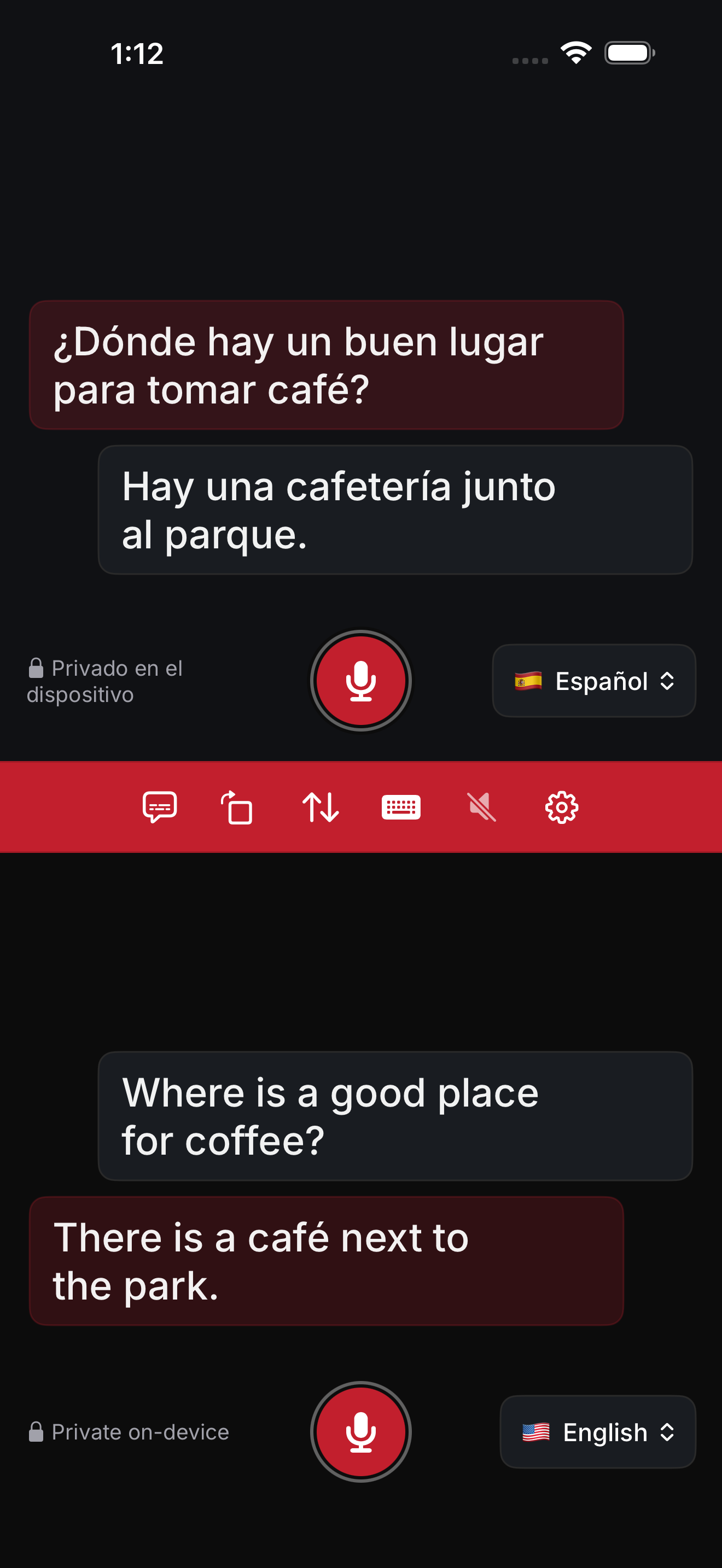
Conversation
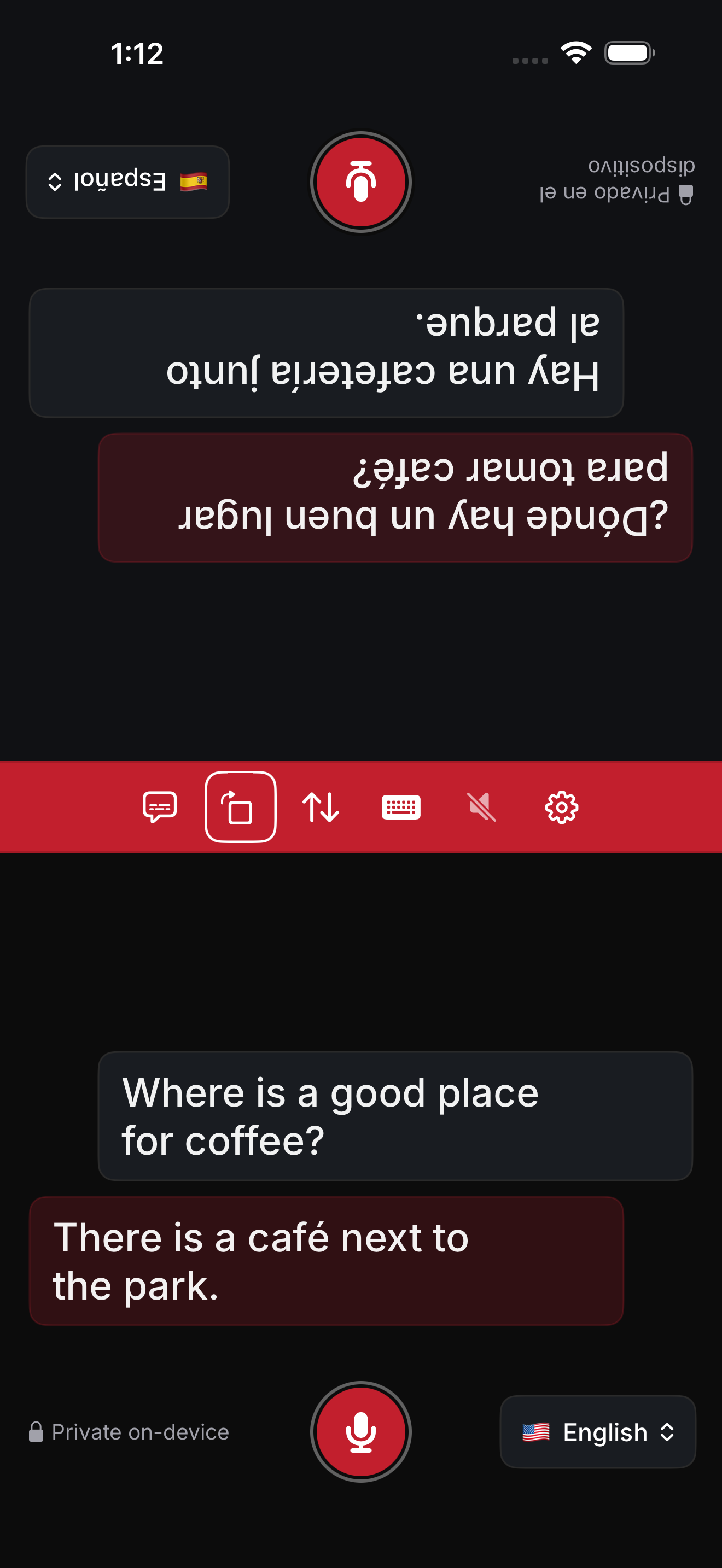
Choose a language for each person and hold the microphone while speaking. Live translated text appears as you speak, and the final phrase updates in place when you release. Rotate the upper pane for someone sitting opposite you.
Personal live translation
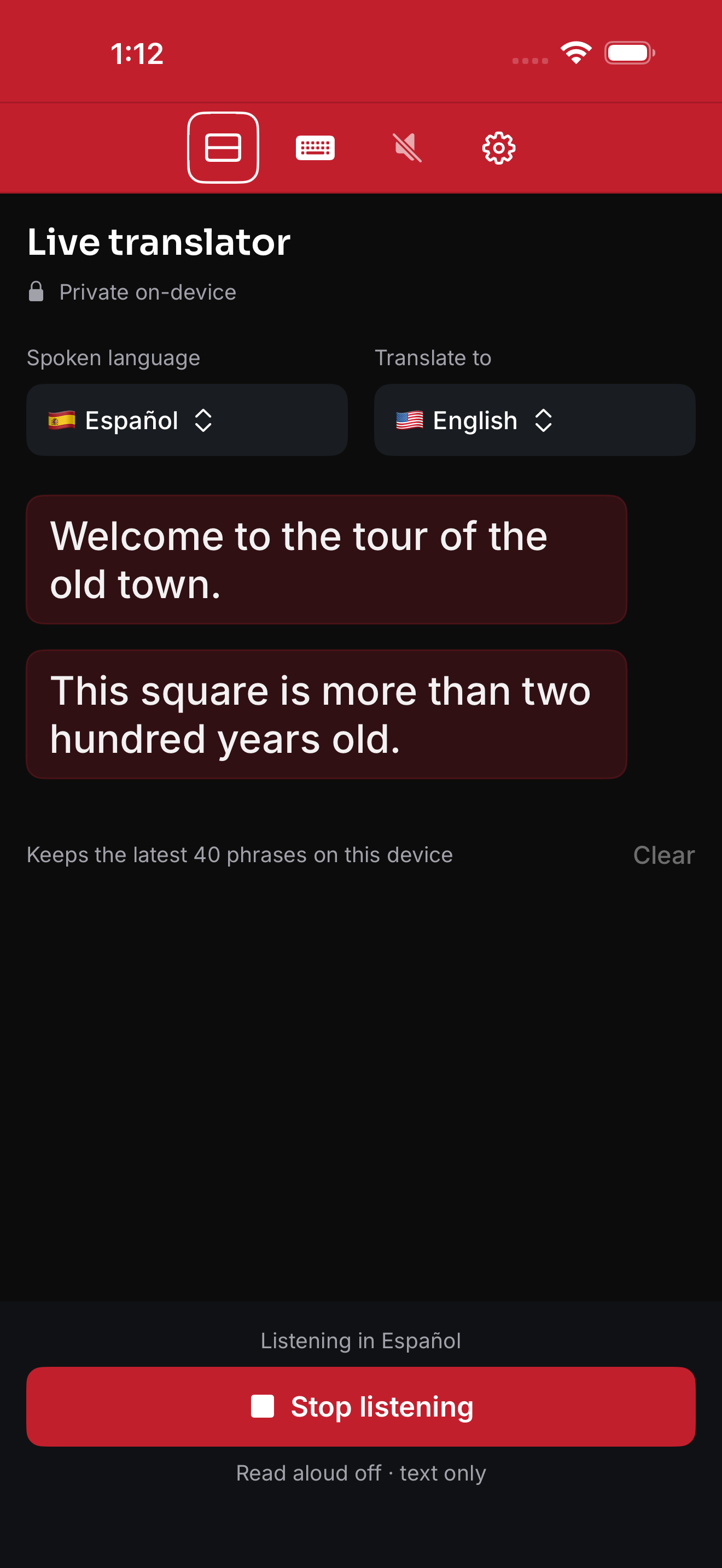
Choose incoming and output languages, then tap Start to keep listening through pauses. Follow the translated text, scroll back, or jump to the latest phrase. Turn on read aloud if you prefer spoken translations; listening pauses during playback and resumes afterward. Stop listening whenever you choose.
Choose your languages
Setup downloads the translation model and selected speech languages. Use Wi-Fi and keep the app open. If setup stops, check your connection and tap Retry.
Choose from English, Chinese, Spanish, French, German, Portuguese, Italian, Japanese, Korean, Arabic, Hindi, Russian, Vietnamese, Thai, Dutch, Turkish, and Polish.
EnglishEspañolFrançais简体中文DeutschPortuguêsItaliano日本語한국어العربيةहिन्दीРусскийTiếng ViệtไทยNederlandsTürkçePolski
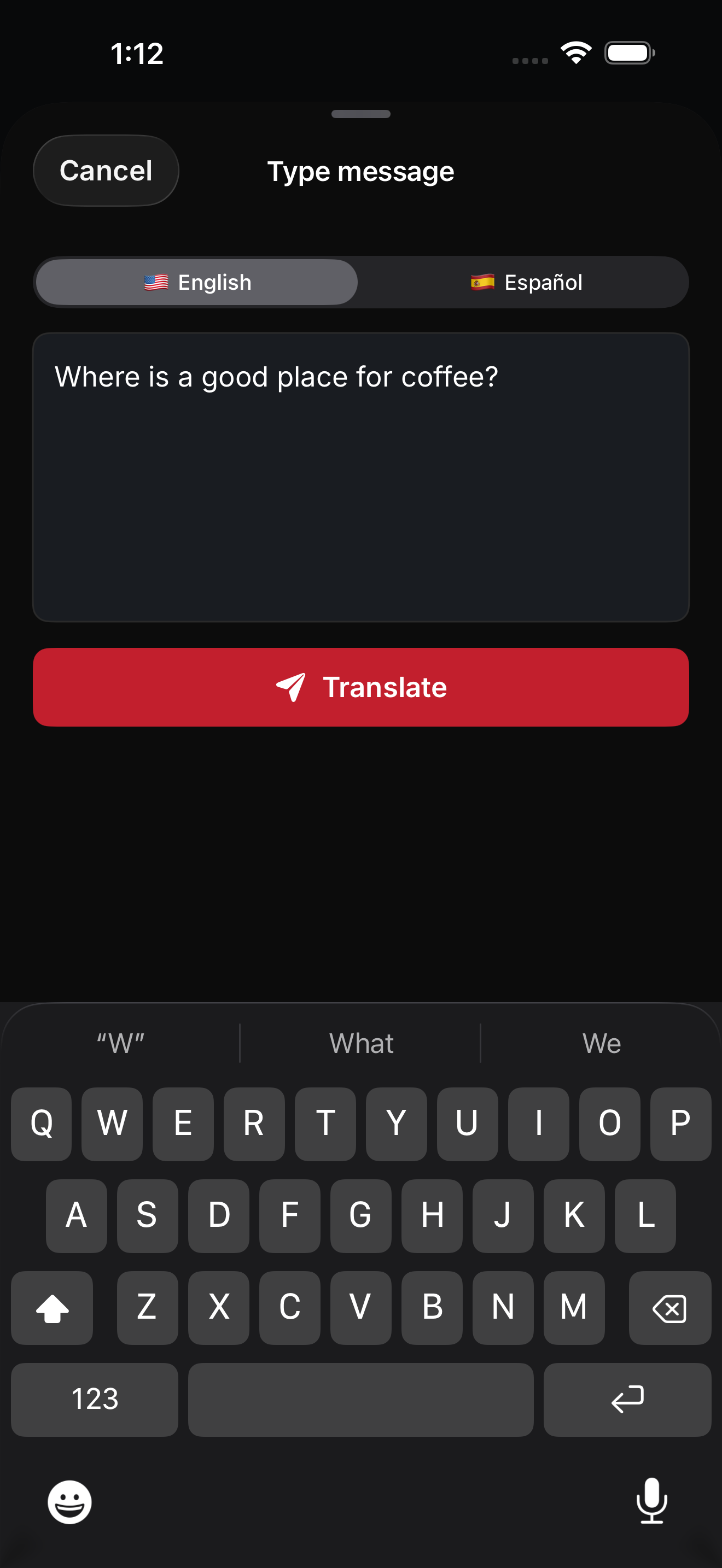
Type when speaking is inconvenient. Shared menus follow a supported device language, with English as the fallback. Each conversation pane keeps its instructions and privacy label in that person's selected language.
Private on your device
Conversation audio and transcript text are designed to stay on this device.
No account, ads, or subscription. Initial setup asks permission to download a large translation model; Wi-Fi is recommended. Speech and voice availability depend on your device and selected languages.
For everyday conversations. Do not rely on Arda Translate as your only translation source for medical, legal, emergency, or safety-critical situations.
Full privacy policy ↗Arda Translate · Mac
Private translation on your Mac. Translate microphone or system audio, follow live subtitles in a floating window, or type a conversation.
Translate conversations and audio on your Mac with Arda Translate. Speech recognition and translation run on your device after setup. Conversation audio and text are not sent to a cloud translation service.
Choose languages for a two-way conversation and click the microphone to start or stop listening. Type when speaking is inconvenient. Use live translation with your microphone or Mac system audio, and follow translated subtitles in a floating window. Optional read aloud speaks translated phrases.
Apple silicon · macOS 26+ · 8 GB RAM+